01
Multi-brand camera support
Supports the INSNEX macro line-scan camera and a variety of mainstream 2D and 3D camera brands; developers can customize and extend functionality using the API.

InsWorks OMAF is a lightweight industrial vision inspection framework platform developed on .NET and integrated with VDE and ESAI. It is dedicated to providing a platform for building comprehensive, highly efficient, and highly flexible end-to-end vision solutions for modern manufacturing.
 InsWorks OMAFPLATFORM IN MOTION
SOFTWARE HIGHLIGHTS
Supports the INSNEX macro line-scan camera and a variety of mainstream 2D and 3D camera brands; developers can customize and extend functionality using the API.
The source code is open-source and covers modules such as the user interface, communication, and camera, lowering the barrier to secondary development and facilitating customization, expansion, and project reuse.
The software is deeply integrated with InsWorks VDE, enabling the rapid development of vision inspection systems—from algorithm development to on-site deployment.
The platform provides core communication, project management, and application development capabilities, helping teams quickly implement standardized visual solutions.
PLATFORM MODULES
Supports creating, saving, and loading projects, with one-click switching between projects.
Supports the implementation of calibration and inspection processes, as well as complex logic in SPEC and script editing.
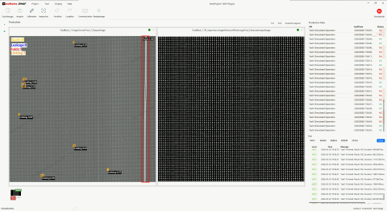
Compatible with a wide range of industrial cameras, supporting both software and hardware-triggered image capture and parameter configuration.
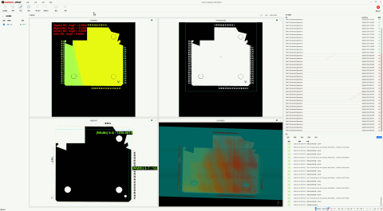
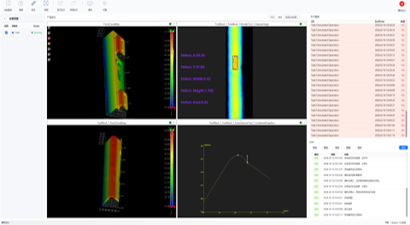
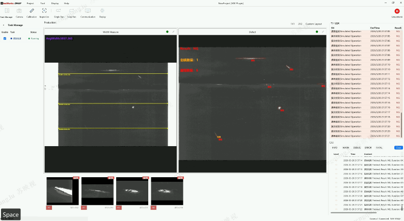
Visualization of operational results is supported, with customizable page layouts.
Supports adding, deleting, and copying tasks, as well as managing multiple tasks.
Supports saving original images and result images, as well as running simulations based on reference images.
Built-in TCP/IP protocol enables seamless integration with PLCs and MES systems and supports expansion.
Supports multilingual switching; switch between Chinese, English, and Korean with a single click.
PRODUCTION CAPABILITIES
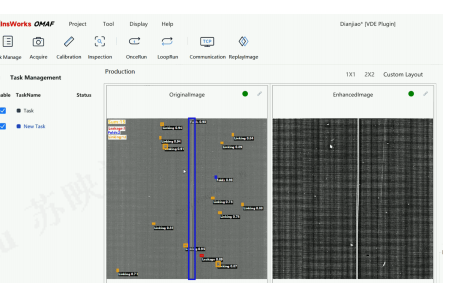
Tasks are independent of one another and can be executed asynchronously in parallel, supporting complex scenarios; supports switching, copying, and error-proof deletion; renaming automatically updates the underlying directories and configurations.
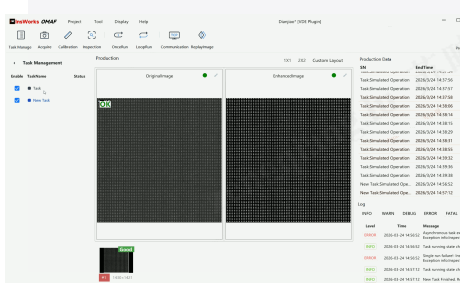
Supports single-run mode, suitable for debugging and verification of the first piece on a production line; supports continuous-run mode with automatic cyclic response, suitable for continuous, high-speed equipment production.
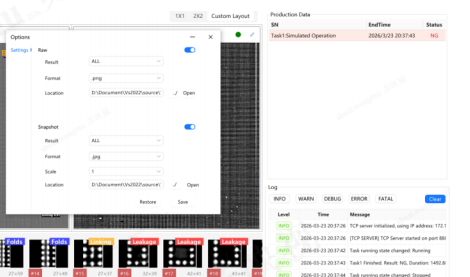
Supports status-based storage sorting and includes a built-in image naming system that incorporates ID, timestamp, exposure, result, and serial number.
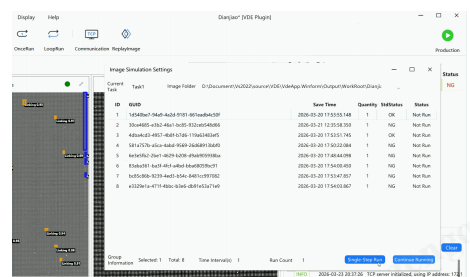
Import a test library with a single click; double-click to record and perform precise debugging step by step. Supports configuration of time intervals and the number of executions to enable continuous batch verification.
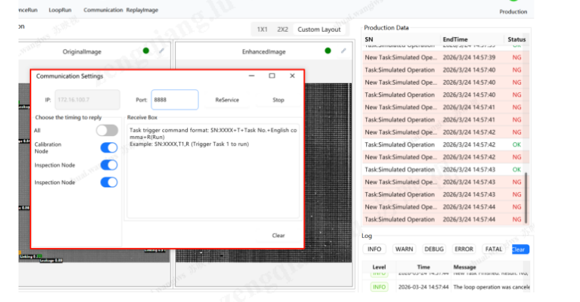
Built-in standard TCP/IP communication configuration supports one-click start, stop, or restart of the software server; supports full recovery or node-by-node recovery, enabling seamless integration with PLC and MES systems.
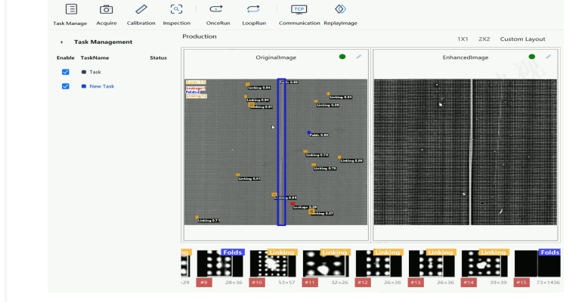
Compatible with INSNEX line-scan cameras and major 2D and 3D camera brands, with one-click addition; a dedicated configuration page supports low-level connection tuning, parameter settings, and real-time image previews.
APPLICATION CASES